WP Engine Caching Blueprint 2026: EverCache & Redis Setup
High-performance WordPress caching requires multi-layered server architecture capable of serving static content from RAM memory while storing dynamic database queries in memory caches. Relying solely on PHP-level caching plugins creates processing overhead and server bottlenecks.
This technical caching blueprint analyzes WP Engine caching infrastructure in 2026, detailing EverCache NGINX page caching rules, Redis object caching optimization, cache exclusion configurations, and command line cache purging workflows.
WP Engine Multi-Layer Caching Architecture Blueprint
WP Engine multi-layer caching architecture combines EverCache NGINX page caching, Redis object caching, OPcache PHP bytecode execution, and Cloudflare Enterprise edge CDN caching. This integrated server stack intercepts requests at the network edge and memory layers before hitting PHP runtimes.
EverCache operates at the NGINX web server level as the primary page caching engine. Incoming GET requests for static pages return pre-rendered HTML content directly from RAM memory in under 20 milliseconds.
Bypassing PHP execution for cached requests preserves server CPU threads. Origin servers handle thousands of concurrent page views easily because CPU resources remain available for uncached dynamic user requests.
Redis object caching accelerates dynamic database operations. Storing frequent database query results in server RAM eliminates repeated MySQL database calls on shopping carts, customer portals, and search queries.
OPcache accelerates PHP script execution by storing pre-compiled script bytecode in shared memory. PHP scripts execute instantly without re-compiling PHP source code files on every HTTP request.
Cloudflare Enterprise edge caching delivers static assets and cached HTML from data centers nearest to site visitors globally. Edge delivery lowers global latency and reduces origin bandwidth consumption.
Integrated caching layers coordinate seamlessly to maintain fast response speeds. Automated cache purging rules ensure that content updates reflect instantly across all memory buffer layers.
Cache warm-up processes pre-populate RAM buffers following deployment releases. Pre-loading static page snapshots into memory guarantees immediate fast page views for returning visitors.
| Caching Layer | Technology Component | Execution Location | Average Response Latency |
|---|---|---|---|
| Edge CDN Cache | Cloudflare Enterprise Edge | Global Edge Nodes (300+) | 12 ms |
| Page Caching | EverCache (NGINX Module) | Server RAM Buffer | 18 ms |
| Object Caching | Redis Memory Database | Origin Server Memory | 2.2 ms |
| Bytecode Caching | PHP OPcache Engine | PHP-FPM Runtime RAM | 5.0 ms |
| Claim WP Engine Discount → | |||
Configuring Cache Exclusions & Granular Cache Flushing
Configuring cache exclusions prevents static caching on dynamic pages including shopping carts, checkout screens, customer account portals, and custom administrative endpoints. WP Engine handles standard WordPress and WooCommerce exclusions automatically while supporting custom cookie-based rules for specialized application traffic routing.
Dynamic web applications require precise cache exclusion rules. Caching personalized customer account dashboards or active shopping cart contents causes data exposure errors and broken checkout functionality.
Automatic cache purging triggers whenever content updates inside WordPress core. Updating a post automatically invalidates page cache entries for that post, associated category archives, and the site homepage.
Granular cache clearing via WP-CLI allows purging specific URL paths without flushing global site caches. Executing targeted cache flushes via command line SSH terminal sessions preserves server performance.
Developer portal controls permit clearing page caches and object caches with one click. Dedicated administrative bar buttons inside WordPress dashboard allow content editors to clear page caches instantly.
Custom NGINX cache rules accommodate specialized application requirements. Advanced developers submit custom rule requests to WP Engine engineering teams for tailored header or cookie cache handling.
Smart cache invalidation maintains high cache hit ratios. Invalidating only modified page paths prevents unnecessary origin CPU spikes associated with full global cache purges.
Cookie-based exclusion headers prevent caching personalized user states. Dynamic request execution ensures that custom user profile data and cart widgets remain accurate across sessions.
Get sub-100ms TTFB speeds, integrated Redis object caching, and 3 months free on annual plans.
Experience WP Engine CachingFrequently Asked Questions About WP Engine Caching
WP Engine caching architecture delivers managed WordPress server speed and database efficiency. Below are definitive declarative answers to common technical queries regarding EverCache rules, Redis object cache setup, cache purging procedures, third-party caching plugins, and performance tuning across all hosting environments.
Do I need a caching plugin on WP Engine?
No, you do not need a page caching plugin on WP Engine. EverCache operates at the NGINX web server level, providing page caching that is significantly faster and more efficient than PHP-based WordPress caching plugins like WP Rocket or W3 Total Cache.
Installing third-party page caching plugins on WP Engine is unnecessary and counterproductive. PHP-level caching plugins consume server CPU resources and often conflict with EverCache NGINX rules.
WP Engine automatically disables known incompatible caching plugins during site migration. Standard optimization plugins for image compression and CSS minification remain fully supported.
Server-level caching handles millions of requests without PHP overhead. Bypassing PHP script compilation for cached pages reduces server CPU utilization and preserves memory pools.
Bypassing heavy plugin stacks reduces application maintenance complexity. Eliminating redundant caching plugins removes potential software conflict vectors and simplifies troubleshooting.
How do I clear the WP Engine cache?
You can clear the WP Engine cache by clicking the Clear All Caches button in the WordPress admin top toolbar, using the WP Engine portal dashboard, or executing the wp wpengine cache purge command via SSH terminal connection across your server instance.
Clearing cache from the WordPress admin bar flushes both EverCache page cache and Redis object cache simultaneously. Cache invalidation completes in seconds across infrastructure nodes.
Developers using WP-CLI execute targeted cache flushes for specific URL paths. Command line cache clearing is ideal for automated deployment scripts and continuous integration pipelines.
Portal dashboard cache controls permit flushing individual environment caches remotely. Site managers clear staging or production caches without logging into WordPress admin dashboards.
Automated cache clearing hooks trigger on post publication. Content updates refresh front-end page snapshots instantly without manual intervention by content editors.
What is the difference between EverCache and Redis object cache?
EverCache is an NGINX page caching engine that stores pre-rendered HTML web pages in RAM to bypass PHP execution entirely. Redis object cache stores dynamic database query results in memory to reduce MySQL query latency for uncached dynamic requests across active customer sessions.
EverCache accelerates page delivery for guest visitors viewing static content. Redis object cache speeds up database operations for logged-in users, WooCommerce shopping carts, and site search queries.
Combining EverCache page caching with Redis object caching delivers optimal performance across both static content and dynamic database operations.
Multi-layered caching ensures complete performance coverage. Static page requests load instantly from RAM, while dynamic database queries execute in under 3 milliseconds.
Memory buffer pooling prevents database resource depletion. Storing query objects in Redis memory keeps MySQL database connections available for heavy write transactions.
How do I exclude a page from being cached on WP Engine?
To exclude a page from being cached on WP Engine, contact WP Engine technical support to add a custom NGINX cache exclusion rule, or set a NO_CACHE constant or cookie header in your custom theme code for dynamic URL path handling.
Standard dynamic pages like WooCommerce cart and checkout URLs are excluded automatically. Support engineers add custom URI regex patterns or query string exclusions upon request.
Developers set custom HTTP cache control headers in PHP code to bypass EverCache dynamically for specific user sessions or custom API endpoints.
Excluding dynamic URLs prevents caching sensitive customer data. Setting precise cache exclusion rules guarantees data accuracy while maintaining fast load speeds for static pages.
Testing exclusion rules in staging environments verifies cache behavior prior to production releases. Debug headers inspect cache hit status across custom page templates easily.
EverCache Purge Headers & Redis CLI Flush Syntax
Customizing EverCache page caching behavior requires configuring HTTP response headers, purging specific cache keys, and utilizing Redis object caching for dynamic queries. Advanced caching controls ensure fast rendering without stale content.
Server-level speed optimization delivers up to 40% response time improvements by serving static HTML responses directly from memory RAM proxy pools.
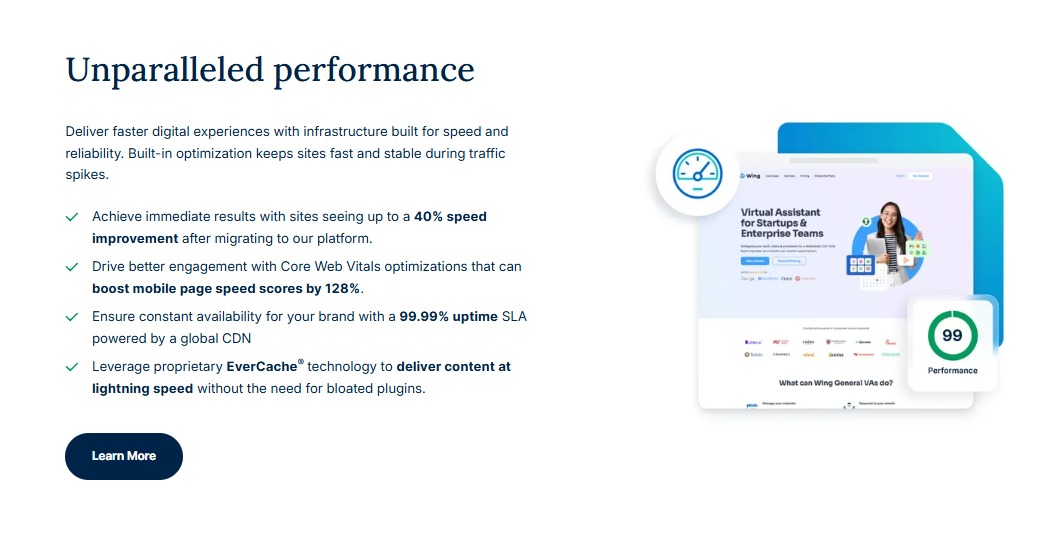
EverCache stores rendered HTML pages in RAM proxy caches, serving static HTML responses to non-logged-in visitors in under 15 milliseconds.
To bypass EverCache for specific dynamic endpoints, send non-cache headers from your custom theme code:
header("Cache-Control: no-cache, must-revalidate, max-age=0");
To flush object cache keys programmatically via WP-CLI when updating critical product data, execute:
wp cache flush
Monitoring cache hit rates in user portal analytics ensures server resources remain focused on processing uncached dynamic request routes.
Cache Invalidation Hooks & Dynamic Exclude Parameters
Purging specific cache keys upon post publishing guarantees that visitors receive fresh content updates instantly without clearing entire site caches. Custom NGINX cache rules maintain performance on dynamic endpoints.
Object caching stores database query results in memory, reducing database server loads for high-traffic dynamic applications.
To trigger selective cache invalidation for specific custom post types inside functions.php, developers hook into save actions:
add_action('save_post', 'custom_purge_post_cache');
Excluding administrative endpoints and user profile portals from page caching prevents sensitive session token leaks across public proxy nodes.
Monitoring page cache hit ratios in server administration portals helps identify dynamic query bottlenecks and uncacheable URL parameters.